How to reach your questions
Log in, open the question bank, run a mock exam. Eight steps — every button you press is circled in red.
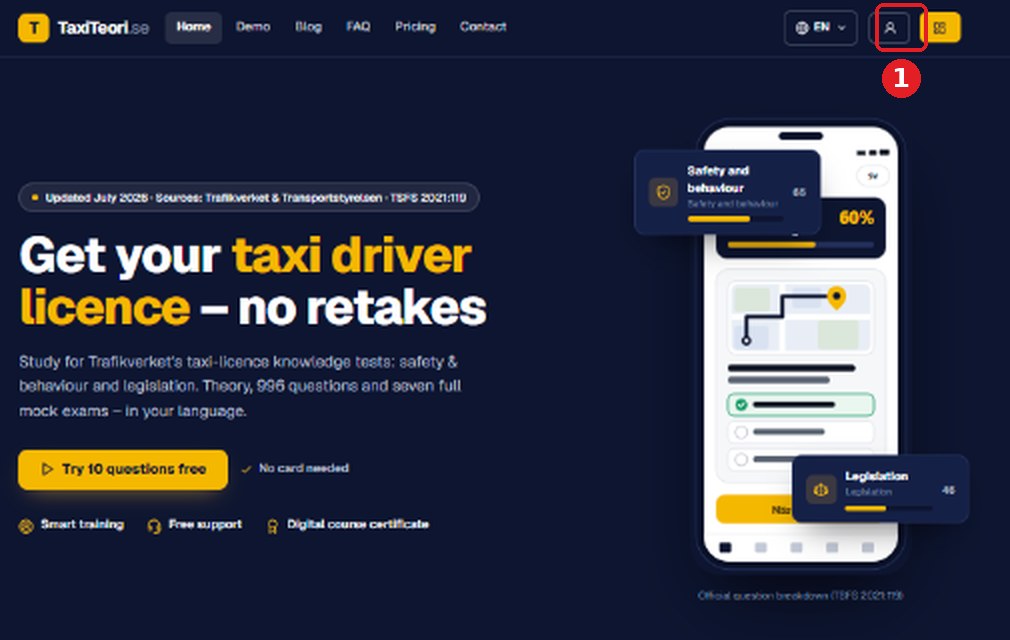
Open taxiteori.se and click the log-in button
Top right of every page — the button to the left of the yellow one. Before you sign in it says Log in; afterwards it shows a person. On a phone, open the menu first.
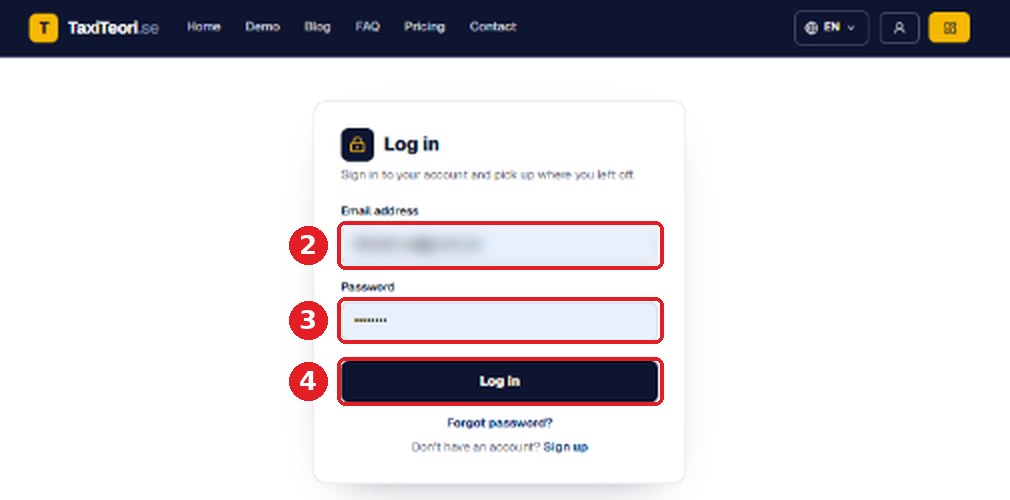
Type your email and password, then press Log in
Use the exact email address you paid with. 2 email · 3 password · 4 Log in.
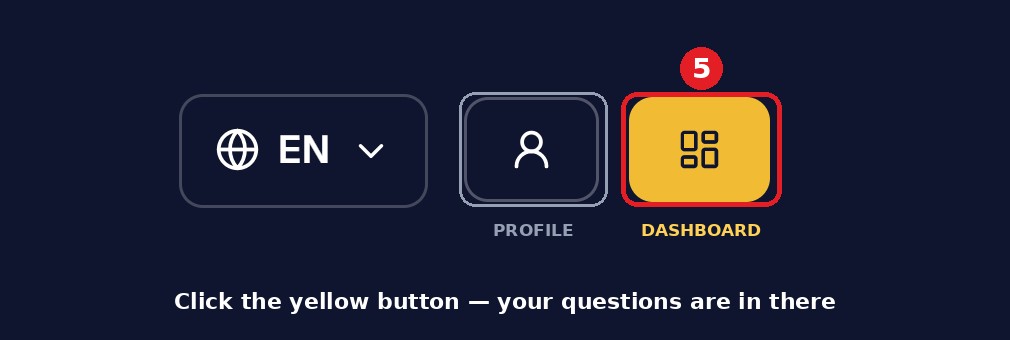
Now click the yellow button — that is the Dashboard
This is the step most people miss. The grey button with the person is only your profile; the yellow button beside it opens your course. 5
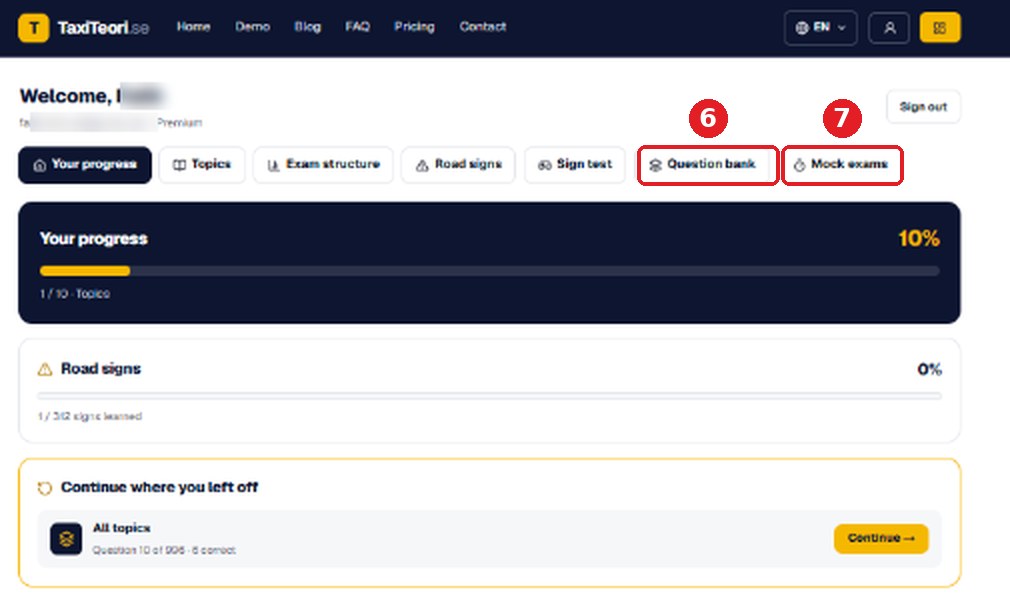
You land on My course — this is the member area
Under your email it should say Premium. The two tabs you need: 6 Question bank for practice, 7 Mock exams for full tests.
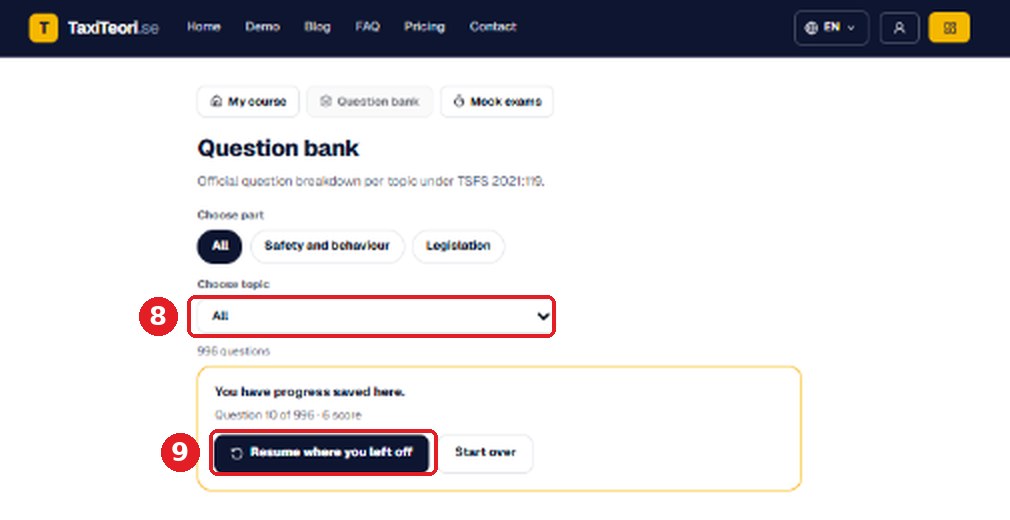
Question bank — 1000+ questions by topic
8 choose a topic, or leave it on All. 9 Resume where you left off — or Start over to begin at question 1.
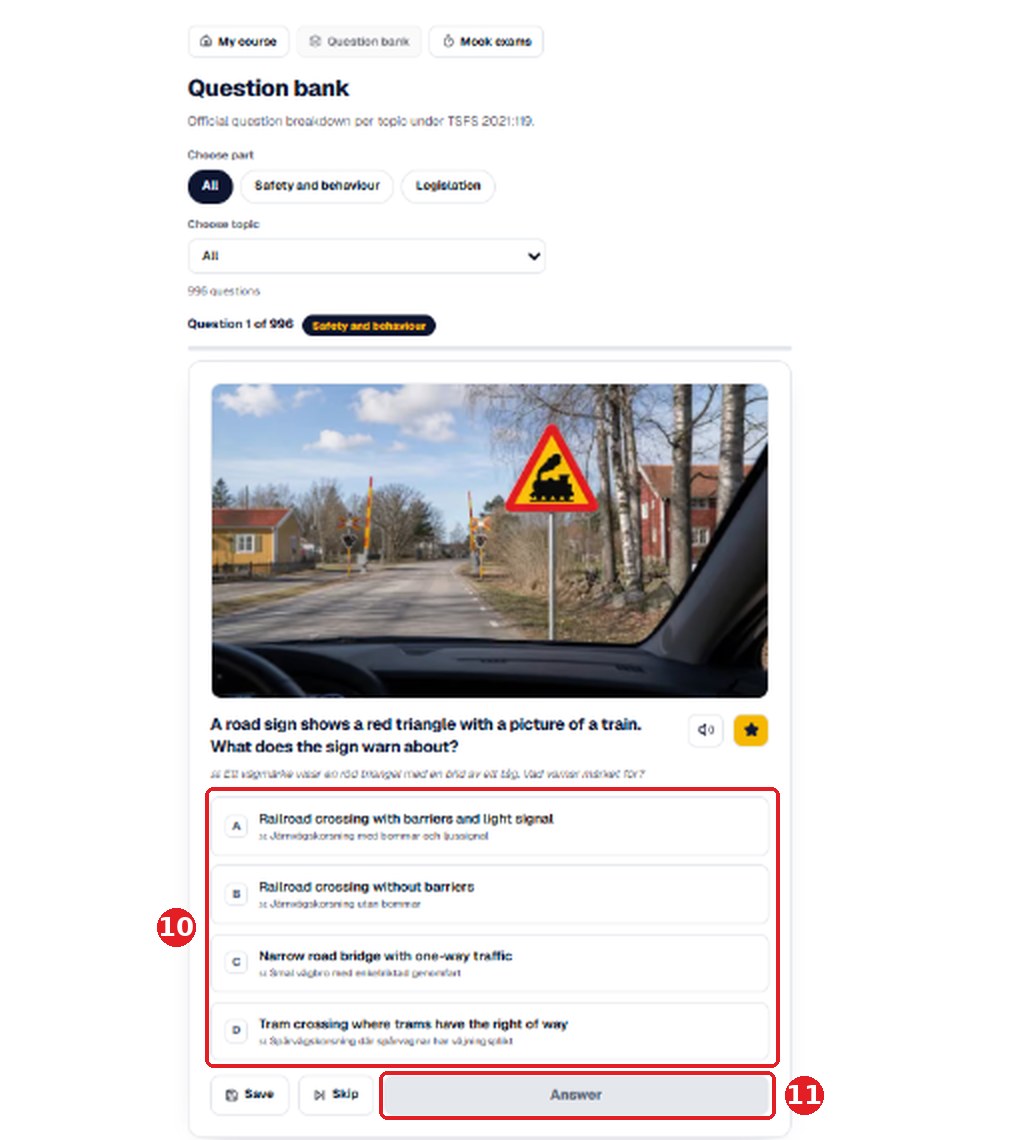
Answer a question
10 pick A, B, C or D, then press 11 Answer. The correct option and the explanation appear straight away.
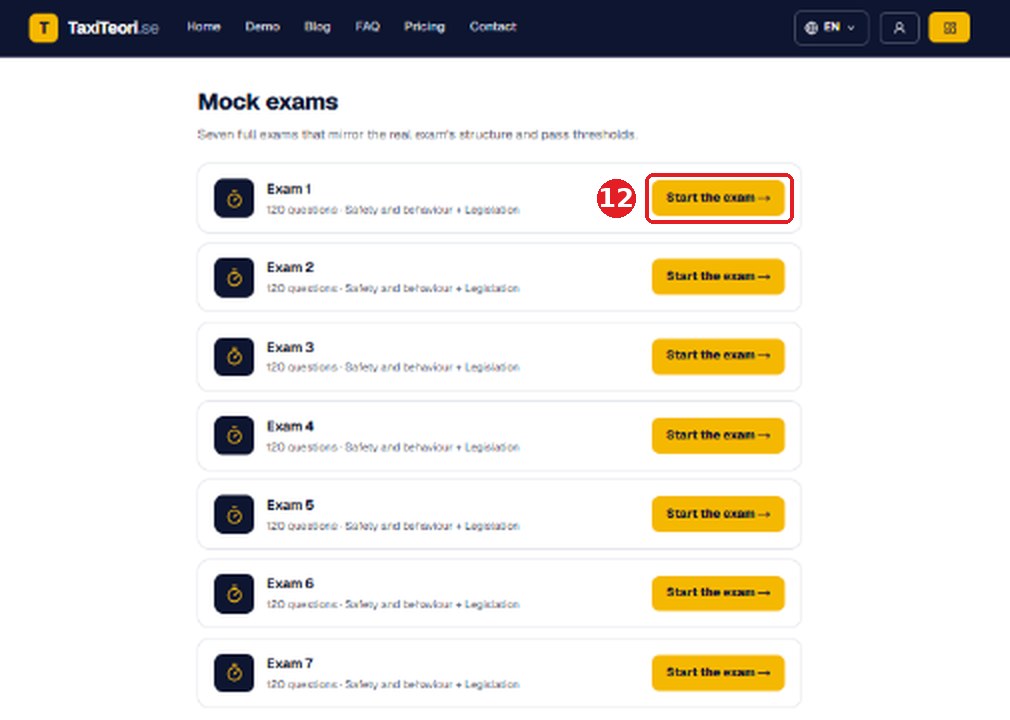
Mock exams — seven full tests
12 Start the exam. Each one mirrors the structure and pass threshold of the real Trafikverket test.
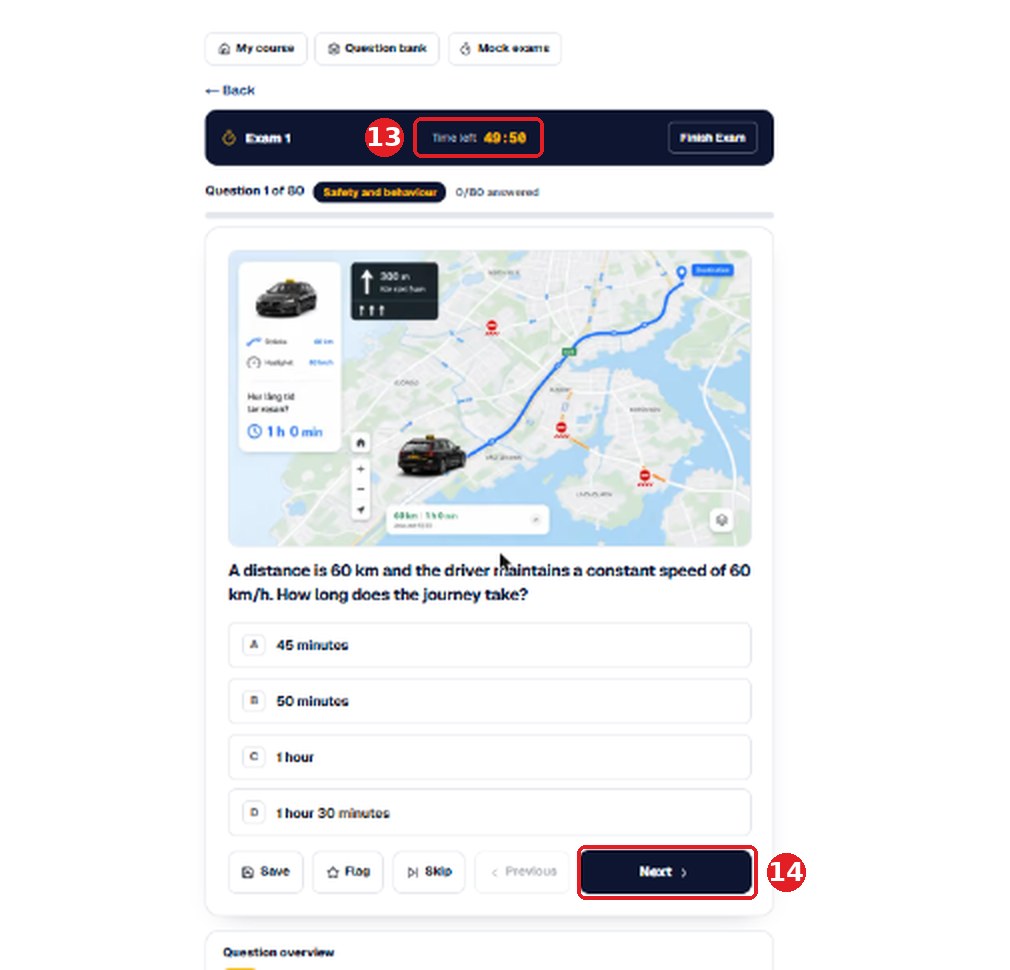
During the exam
13 the clock counts down. 14 Next moves on; Finish Exam marks the paper and shows your score.
Logged in but the questions are missing?
- 1Click the yellow button, not the grey one. The person icon opens your profile — there are no questions there. The yellow button top right is the Dashboard.
- 2Check the email address. You must sign in with the same address you used when you paid. A second address means a second, empty account.
- 3Check the badge. On My course, under your email, it must read Premium. If it reads Standard, the payment is not attached to the account you are signed in to.
- 4Check the dates. Your access runs from the day of purchase, not from the first day you log in.
Still nothing? Email us from the address you paid with and we will move the access onto the right account. info@korkortakademi.se